---
title: Menu
urlSegment: menu
sidebar:
order: 5750
slug: "en/atime/menu"
lastUpdated: 2026-09-15T11:52:30.000Z
---
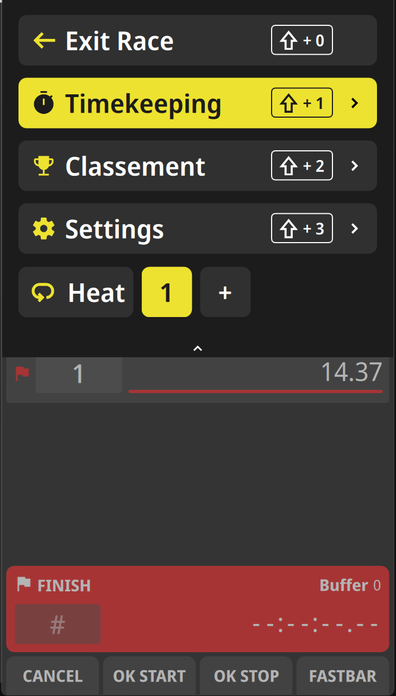
In the menu you can made all the adjustments for the timing.
## How to get into
### Keyboard
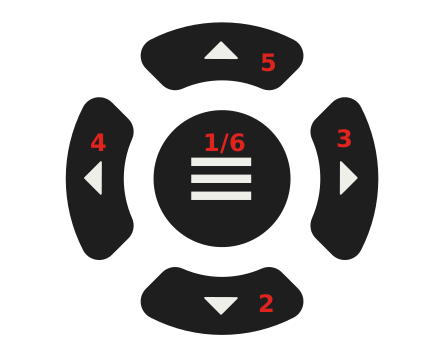 1. Press the central key to enter the menu
2. Press the bottom key to move downwards in the shown menu.
3. Press the right key to step down in the next menu level
4. Press the left key to step back in the previous menu level
5. Press the upper key to move upwards in the shown menu
6. Press the central key to leave the menu
### Touchscreen
wipe with one finger from the top of the screen down
1. Press the central key to enter the menu
2. Press the bottom key to move downwards in the shown menu.
3. Press the right key to step down in the next menu level
4. Press the left key to step back in the previous menu level
5. Press the upper key to move upwards in the shown menu
6. Press the central key to leave the menu
### Touchscreen
wipe with one finger from the top of the screen down