

2.4 Keyboard
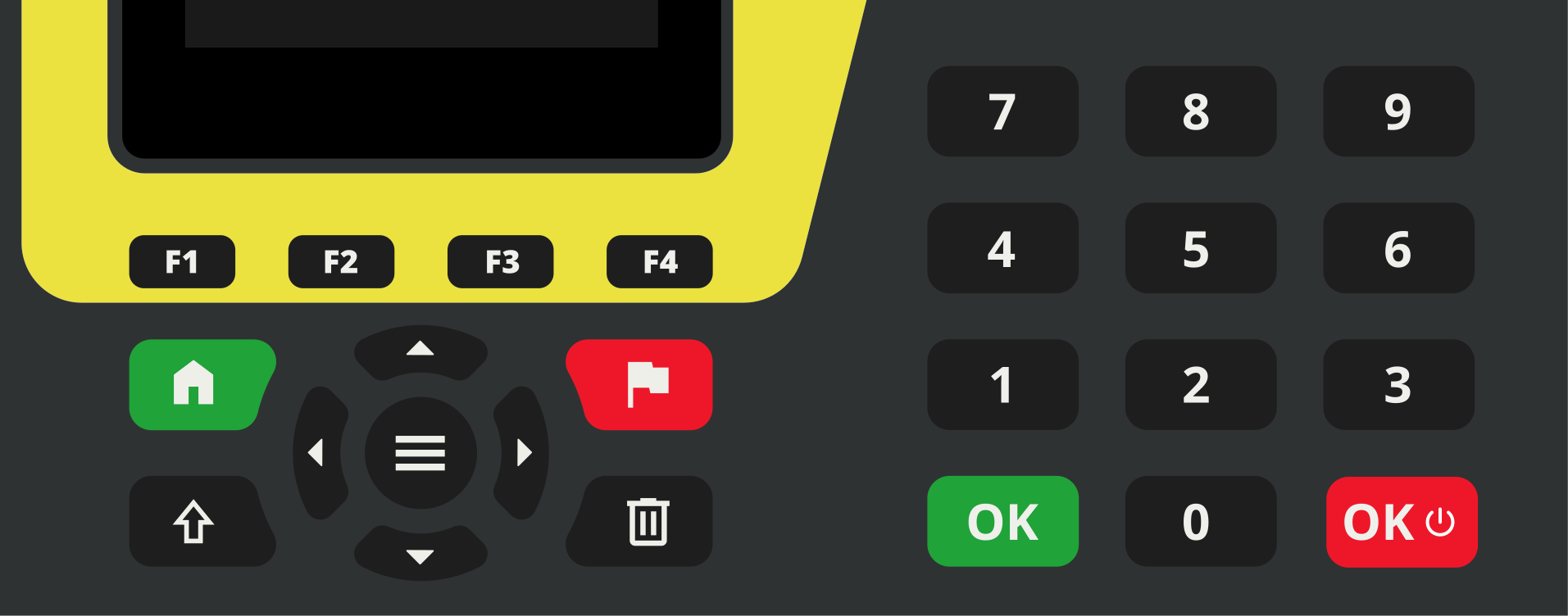
The keyboard of the ATime is used to do important inputs during the race fast and efficient like to input a bib or to clear a time. Almost every task of the ATime you can execute with the keyboard or touchscreen. This makes the device unique and allows an innovative and fast operation.
 |
Manual Start: key to give a manual start impulse |
 |
Manual Stop: key to give a manual start impulse |
 |
Green OK-Key to confirmation a bib at the start |
 |
Red OK-Key to confirm a bib at the finish and ON/OFF switch |
 |
Shift-Key to activate a function together with another key |
 |
Delate-Key to delete the actual data |
 |
Menu-Key to get to the menu of the ATime |
 |
Up-Key to move in a menu up |
 |
Down-Key to move in a menu down |
 |
Left-Key to move in a menu back to previous menu structure |
 |
Right-Key to move in a menu down to next menu structure |
 |
Function-Key F1: function as described in the display above |
 |
Function-Key F2: function as described in the display above |
 |
Function-Key F3: function as described in the display above |
 |
Function-Key F4: function as described in the display above |